We're Still Doing This in 2026?
Let me paint you a picture. It's 2019. Capital One loses personal data of over 100 million customers and applicants. The attack vector? A misconfigured WAF that allowed SSRF to hit the EC2 metadata service, which handed over IAM role credentials with access to — you guessed it — S3 buckets. The post-mortem was brutal. The industry collectively said "never again."
And then we kept doing it. Over and over and over.
S3 bucket misconfigurations aren't some exotic zero-day. They're not novel. They're the security equivalent of leaving your front door open, posting about it on social media, and then acting shocked when someone walks in and takes your TV. Yet here we are, years later, and misconfigured buckets remain one of the most reliable sources of data exposure on the internet. Researchers at GrayhatWarfare still index thousands of open buckets. Breach after breach traces back to the same root causes. It's honestly exhausting.
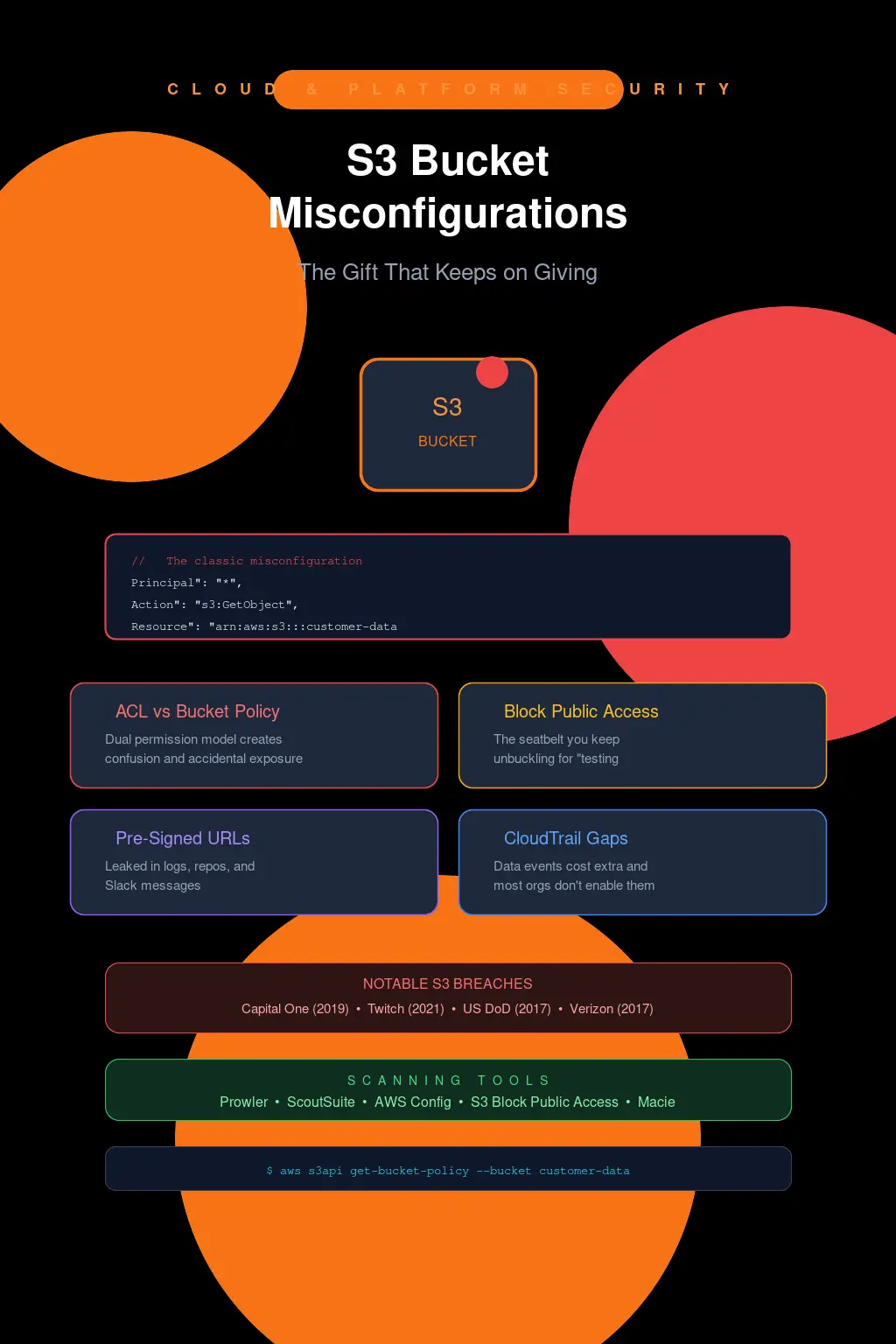
The ACL vs. Bucket Policy Problem (a.k.a. Two Permission Systems, Twice the Confusion)
Part of the reason we can't seem to get this right is that S3 has two overlapping access control mechanisms, and they interact in ways that trip up even experienced engineers.
ACLs are the legacy system. They're coarse-grained, object-level or bucket-level, and they were the original way to control S3 access back when S3 launched in 2006. You've got canned ACLs like public-read, public-read-write, authenticated-read — and that last one is a real gem, because people assume "authenticated" means "authenticated users in my account." It doesn't. It means any AWS authenticated principal. Every single person with an AWS account. That's not access control, that's a participation trophy.
Then you've got bucket policies — JSON-based resource policies that are far more expressive but also far easier to get subtly wrong. Here's a policy I've seen in production more times than I'd like to admit:
{
  "Version": "2012-10-17",
  "Statement": [
    {
      "Sid": "AllowPublicRead",
      "Effect": "Allow",
      "Principal": "*",
      "Action": "s3:GetObject",
      "Resource": "arn:aws:s3:::my-totally-not-sensitive-bucket/*"
    }
  ]
}
"Principal": "*". That's it. That's the whole problem. Sometimes it's intentional — a static website hosting bucket, for example. But I've seen this exact pattern on buckets containing database backups, application logs with PII, and once, memorably, a bucket that held encrypted credentials where the "encryption" was base64 encoding. That one kept me up at night.
The real danger is when ACLs and bucket policies conflict or stack. AWS evaluates these in a union model: if either system grants access, access is granted (unless there's an explicit deny). So you can have a perfectly locked-down bucket policy and still be exposed because someone slapped public-read on individual objects using ACLs during an upload script they wrote at 2 AM. I've done incident response on exactly this scenario. The bucket policy looked immaculate. The objects were world-readable. The engineer responsible had left the company six months prior.
AWS knows this is a mess, which is why they've been pushing hard to make ACLs essentially irrelevant. As of April 2023, new buckets have ACLs disabled by default with the "Bucket owner enforced" setting. But legacy buckets? They're still out there, ACLs and all, silently waiting to ruin someone's quarter.
Block Public Access: The Seatbelt You Keep Unbuckling
S3 Block Public Access was AWS's big "we're done watching you hurt yourselves" move, and honestly, it's good. Really good. Four toggles at the bucket level (and at the account level):
BlockPublicAcls— rejects any PUT that includes a public ACLIgnorePublicAcls— ignores existing public ACLs on objects and bucketsBlockPublicPolicy— rejects bucket policies that grant public accessRestrictPublicBuckets— limits access from public policies to only AWS services and authorized users
Enable all four at the account level. Done. Problem solved, right?
Except teams disable it. They disable it for "legitimate" reasons — the static website bucket, the public assets CDN origin, the one-off data share with a partner. And then they forget to re-enable it. Or they disable it at the account level because one team needed an exception, and now every bucket in the account is unprotected. I've watched organizations do this in real time during CloudTrail log reviews. The PutPublicAccessBlock API call with all four settings set to false — at the account level. It's like watching someone remove the smoke detectors from an entire building because one was beeping in the break room.
Check your account-level settings right now. Seriously. Open a terminal:
aws s3control get-public-access-block --account-id $(aws sts get-caller-identity --query Account --output text)If any of those four come back false, you have work to do tonight.
Pre-Signed URLs: The Leak You Don't See Coming
This one doesn't get talked about enough.
Pre-signed URLs are a perfectly reasonable mechanism. You generate a time-limited URL that grants temporary access to a private S3 object without requiring the requester to have AWS credentials. Great for download links, file sharing, temporary access grants. The problem is in the implementation details that nobody reads.
First: the expiration. The maximum expiration for a pre-signed URL generated with IAM user credentials is 7 days. For STS temporary credentials (which is what you get from IAM roles, including EC2 instance roles and Lambda execution roles), the URL expires when the underlying temporary credentials expire — which could be as short as 15 minutes or as long as 12 hours depending on configuration. But I've seen developers set expirations to 604800 seconds (the full 7 days) for "convenience" and then embed those URLs in emails, Slack messages, support tickets, and even client-facing documentation. Those URLs get cached by proxies, logged by web servers, indexed by search engines if they end up in HTML, and shared well beyond their intended audience.
Second: pre-signed URLs carry the permissions of the signer. If the IAM principal that generated the URL has broad S3 access and the URL somehow gets leaked or reverse-engineered (the signature is in the query string — it's not exactly hidden), you've got a problem that extends well beyond the single object the URL was generated for. Well, actually, the URL is scoped to the specific object and action — but the point is that any valid pre-signed URL is a bearer token. Whoever has it can use it. No authentication required. No IP restriction by default.
A colleague of mine found a pre-signed URL in a public GitHub repository once. It was in a README file for an internal tool — someone had generated a pre-signed URL to an architecture diagram stored in S3 and pasted it into the docs. The URL had expired, but the commit history showed it had been valid for a week, and the bucket contained far more than architecture diagrams. The URL itself was a breadcrumb that revealed the bucket name, region, and key structure. That's enough for a motivated attacker to start probing.
If you're using pre-signed URLs, keep expirations as short as possible, generate them from minimally-privileged principals, and for the love of all that is holy, add a VpcEndpoint condition or IP restriction in the bucket policy so the URLs only work from expected network locations.
Visibility Is Not Optional: CloudTrail Data Events and Why You're Probably Not Logging Them
Here's a dirty little secret about CloudTrail: by default, it doesn't log S3 data events.
Management events — CreateBucket, PutBucketPolicy, DeleteBucket — those are logged by default. But GetObject? PutObject? The actual access to your data? Nope. You have to explicitly enable S3 data event logging, and it costs extra because of the volume of events it generates. So most organizations don't enable it, or they enable it on a handful of "critical" buckets and hope for the best.
This means that when a bucket gets exfiltrated, you often have zero visibility into what was accessed, when, by whom, or how many objects were downloaded. Your incident response starts with "we think data was exposed" and ends with "we have no idea what was taken." That's not incident response. That's guessing with extra steps.
At minimum, enable data event logging on any bucket containing sensitive data. Yes, it increases your CloudTrail costs. Yes, the log volume is significant. But the alternative is flying blind during an incident, and I promise you the cost of a breach disclosure dwarfs the cost of CloudTrail storage. Use S3 as the destination for the logs, set up lifecycle policies to transition to Glacier after 90 days, and move on with your life.
aws cloudtrail put-event-selectors \
  --trail-name my-trail \
  --event-selectors '[{
    "ReadWriteType": "All",
    "IncludeManagementEvents": true,
    "DataResources": [{
      "Type": "AWS::S3::Object",
      "Values": ["arn:aws:s3:::my-sensitive-bucket/"]
    }]
  }]'
And while you're at it, enable S3 server access logging too. It's a different mechanism — less structured than CloudTrail, but it captures things like requester IP and HTTP referrer that CloudTrail data events don't always include. Belt and suspenders.
Stop Auditing Manually. Just Stop.
If your S3 security posture assessment involves someone clicking through the AWS console bucket by bucket, you've already lost. You can't manually audit hundreds or thousands of buckets, and even if you could, the configuration will drift the moment you look away.
Use the tools that exist. Prowler is open-source, runs checks against CIS benchmarks and AWS best practices, and will flag public buckets, missing encryption, disabled versioning, and logging gaps in minutes. ScoutSuite from NCC Group does multi-cloud security auditing and produces detailed reports. AWS's own Config service has managed rules like s3-bucket-public-read-prohibited, s3-bucket-public-write-prohibited, s3-bucket-ssl-requests-only, and s3-bucket-server-side-encryption-enabled that evaluate continuously and can trigger auto-remediation via Lambda.
But here's where I get opinionated: CSPM tools are necessary but insufficient. I've seen organizations deploy Prisma Cloud or Wiz or Orca, get the findings, dump them into a backlog, and then never remediate them because there's no ownership model. The tool finds 200 public buckets. Great. Who owns them? Who's responsible for fixing them? What's the SLA? If your answer to any of those questions is a shrug, the tool is just generating noise.
The actual fix is a combination of preventive controls (SCPs that deny s3:PutBucketPolicy with public principals, account-level Block Public Access, s3:PutObject conditions requiring encryption), detective controls (Config rules, CSPM scanning, CloudTrail alerting on PutPublicAccessBlock changes), and operational discipline (tagging, ownership, regular access reviews). None of this is groundbreaking. All of it requires follow-through.
The Part Where I Get Frustrated
S3 has been around for twenty years. The security controls are mature. Block Public Access exists. ACLs can be disabled entirely. Bucket policies support conditions, VPC endpoint restrictions, MFA delete, encryption requirements. CloudTrail can log every single access event. AWS Config can continuously evaluate compliance. There are a dozen CSPM tools that can identify misconfigurations in minutes.
And yet.
Every few months, another breach. Another exposed bucket. Another company in the news explaining how "a small number of records" (it's never a small number) were inadvertently made accessible. The tooling isn't the problem. The knowledge isn't the problem. It's prioritization. It's the team that disables Block Public Access for a demo and forgets to re-enable it. It's the developer who sets "Principal": "*" in a bucket policy during testing and pushes it to production. It's the security team that gets the CSPM alert and puts it in the backlog behind 400 other findings.
If you're studying for the CISSP or working in security operations, understand this: S3 bucket security isn't a technology problem anymore. It's a process and governance problem. The controls exist. The question is whether your organization has the discipline to implement them consistently, monitor them continuously, and respond to deviations immediately. That's what separates organizations that show up in breach notifications from those that don't.
Go check your buckets. Right now. I'll wait.