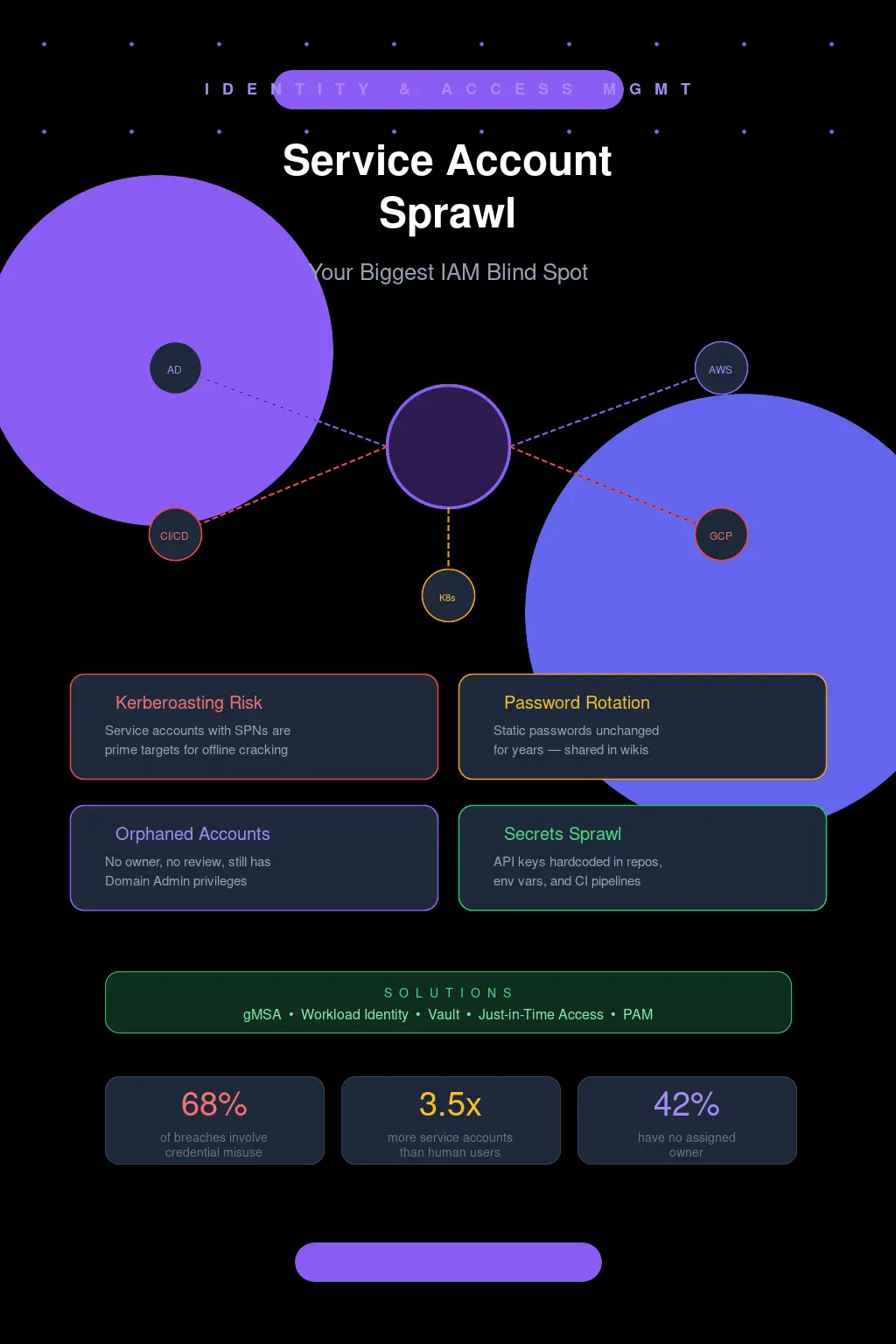
The Account Nobody Owns
Let me paint you a picture. You're three months into a new gig as a senior security engineer. You've inherited an Active Directory environment with 14,000 user objects. You run a quick LDAP query to enumerate service accounts and pull back... 3,200 results. Three thousand two hundred. You start scrolling. Half of them have passwordLastSet timestamps from 2019. A quarter of them have descriptions like "DO NOT DELETE - PROD" with no further context. Nobody on the infrastructure team can tell you what a third of them do.
I've lived this. More than once.
And here's what keeps me up at night: every single one of those accounts is a potential lateral movement path, a Kerberoasting target, or a persistence mechanism waiting to be exploited. But when was the last time your IAM program gave service accounts the same scrutiny it gives human identities? Yeah. That's what I thought.
Why We Got Here (And Why It's Worse Than You Think)
Service account sprawl doesn't happen because people are lazy. It happens because the incentive structure is completely broken. A developer needs a service account to connect their app to a database. They open a ticket. IT creates svc_app_db01, assigns it a password, grants it permissions, and closes the ticket. The app ships. Everyone moves on.
Six months later, the app gets decommissioned. The server gets wiped. But svc_app_db01? It's still sitting in AD with its SPN registered, its password unchanged, and its permissions intact. Nobody files a ticket to remove it because nobody remembers it exists. The developer who requested it left the company two quarters ago. The IT admin who created it is on a different team now.
Multiply this by every application deployment, every middleware integration, every monitoring tool, every backup agent, every scheduled task across a decade of organic growth. That's how you end up with thousands of orphaned service accounts. And the really insidious part? These accounts often have more privileges than any individual human user. They're frequently domain admins, or they've got write access to sensitive OUs, or they're sitting in groups that grant them access to every file share in the environment.
I once audited an environment where a single service account for a long-retired print management tool had Domain Admin, Enterprise Admin, and Schema Admin privileges. The tool hadn't been used in four years. The account password was Summer2018!. Let that sink in.
Kerberoasting: The Attack That Should Terrify You
If you're running service accounts in Active Directory with registered SPNs and static passwords, you are handing attackers a buffet. This isn't theoretical. This is Tuesday for any competent red team.
The mechanics are brutally simple. Any authenticated domain user -- even a low-privilege one -- can request a Kerberos service ticket (TGS) for any SPN in the domain. That ticket is encrypted with the service account's NTLM hash. The attacker takes that ticket offline and cracks it. No network traffic, no failed logon events, no alerts. Just pure offline brute force against your service account password.
Run GetUserSPNs.py from Impacket against a typical enterprise domain and you'll get dozens of crackable hashes back in seconds:
GetUserSPNs.py -request -dc-ip 10.0.0.1 CORP.LOCAL/lowprivuser
Now feed those hashes into Hashcat with a decent wordlist and rules. A service account password like Company@2023 falls in minutes on a modern GPU. Even something that looks complex to a human -- Pr0d$vcAcct!99 -- crumbles under rule-based attacks because it follows predictable patterns. Service account passwords tend to be set once and designed to be "complex enough to satisfy policy" rather than genuinely resistant to offline cracking.
And once that account is cracked? If it's got elevated privileges -- which, let's be honest, it probably does -- you've just handed an attacker the keys to the kingdom without triggering a single detection. No password spray lockouts. No suspicious logon events. Nothing.
This is why service account sprawl isn't just an IAM hygiene problem. It's an active, exploitable attack surface.
gMSA: The Solution That's Been Sitting Right There
Group Managed Service Accounts have been available since Windows Server 2012. That's over a decade. And yet, in my experience, maybe 15-20% of enterprise environments have meaningfully adopted them. This drives me nuts.
A gMSA eliminates the core problem by letting Active Directory manage the password automatically. The password is 240 characters of cryptographic randomness, rotated every 30 days by default, and never known to any human. You can't Kerberoast it in any practical sense because good luck cracking a 240-character random password. The account retrieves its own password from AD using a secure channel. You define which computer objects are allowed to retrieve the password, and that's it.
Setting one up isn't even hard. You create the KDS root key (once, for the whole domain), then it's a couple of PowerShell commands:
New-ADServiceAccount -Name "gMSA_AppPool01" -DNSHostName "gmsa_apppool01.corp.local" -PrincipalsAllowedToRetrieveManagedPassword "WebServerGroup"
Then on the target server: Install-ADServiceAccount -Identity "gMSA_AppPool01". Point your service at the gMSA. Done. No password to manage, no password to leak, no password to Kerberoast.
So why isn't everyone using these? A few reasons, and some of them are even legitimate. Legacy applications that can't handle gMSAs because they require you to type in a password during configuration. Services running on non-Windows systems that can't participate in the gMSA protocol. Cross-domain scenarios that get complicated. And, honestly, plain old organizational inertia -- "we've always done it this way" is the most dangerous sentence in IT security.
But here's my stance, and I'll die on this hill: every new Windows service account request in 2026 should default to gMSA unless there's a documented, approved exception. If your IAM team is still creating traditional service accounts with static passwords as the default workflow, you have a process problem that no amount of tooling will fix.
Cloud Didn't Fix This -- It Just Moved the Problem
I hear a lot of "we're moving to the cloud so this won't be a problem anymore." Oh, sweet summer child.
Cloud IAM service accounts are their own special flavor of sprawl, and in some ways they're worse because the blast radius is bigger and the visibility is murkier.
Take GCP. Every project accumulates service accounts like barnacles on a hull. The default compute service account alone has Editor-level access on the project by default -- a hilariously broad permission set that Google themselves tell you not to use. Then developers start creating custom service accounts for Cloud Functions, for GKE workloads, for CI/CD pipelines. Each one gets keys generated, and those JSON key files end up... everywhere. Checked into Git repos. Stored in Slack messages. Sitting in plaintext in ~/.config/gcloud/ on a developer's laptop. Pasted into Jenkins credential stores with the description "temp key."
AWS has a similar dynamic with IAM roles and access keys. At least AWS has made decent progress with instance profiles and IRSA (IAM Roles for Service Accounts) for EKS, which let you avoid long-lived credentials entirely. But I still see environments where IAM users with programmatic access keys are the primary method for service-to-service auth. Keys that were generated two years ago. Keys attached to policies with "Effect": "Allow", "Action": "*", "Resource": "*". I wish I were exaggerating.
The cloud-native answer to this is workload identity federation -- letting workloads authenticate using short-lived, automatically-rotated tokens tied to their compute identity rather than static credentials. GCP's Workload Identity for GKE, AWS's IRSA and EKS Pod Identity, Azure's Managed Identities. These are genuinely good solutions. But migrating to them requires rearchitecting how your services authenticate, and that's a multi-quarter effort in any real-world environment.
The CI/CD Pipeline: Where Secrets Go to Die
Let's talk about the elephant in the room. Your CI/CD pipeline is almost certainly a service account credential landfill.
Every pipeline that deploys to production needs credentials. Database connection strings. Cloud provider credentials. API tokens for third-party services. SSH keys for remote hosts. Docker registry auth. Kubernetes cluster certs. These all end up stored somewhere, and that somewhere is usually the CI/CD platform's built-in secrets store with varying degrees of actual security.
I've done assessments where a single GitHub Actions workflow had access to 40+ repository secrets, any one of which could compromise a production system. The workflow ran on every pull request. From any contributor. Let that math work itself out in your head for a second.
The real problem isn't the secrets stores themselves -- tools like HashiCorp Vault, AWS Secrets Manager, and even GitHub's encrypted secrets are reasonably well-implemented. The problem is the lifecycle. Who reviews which pipelines have access to which secrets? Who rotates the service account credentials that the pipeline uses to connect to the secrets manager? Who audits whether a secret is still needed after the project it served has been archived?
Nobody. The answer is almost always nobody.
If you're using Vault (and you should be), at minimum you should be leveraging dynamic secrets -- credentials that are generated on-demand with a TTL and automatically revoked. Your pipeline authenticates to Vault, gets a database credential that's valid for 30 minutes, does its deployment, and the credential self-destructs. No static service account password sitting in a config file. No secret that's valid long enough to be useful if stolen. This is the model everything should be moving toward.
What Actually Works: A Practitioner's Playbook
I'm not going to give you a tidy 10-step framework because that's not how this works in practice. But here's what I've seen actually move the needle in real environments.
First, you need to know what you have. And I mean really know. Not "we have a spreadsheet from 2022." Run discovery. In AD, query for all accounts with SPNs: Get-ADUser -Filter {ServicePrincipalName -ne "$null"} -Properties ServicePrincipalName, PasswordLastSet, LastLogonDate, Description. In AWS, pull every IAM user with programmatic access keys and check CreateDate on those keys. In GCP, enumerate service account keys across all projects using gcloud asset search-all-iam-policies. You will find surprises. You will find things that make you uncomfortable. That's the point.
Second, establish ownership or kill it. Every service account needs a human owner and a documented purpose. If you can't identify both within a reasonable investigation period, disable the account. Yes, something might break. But here's the trade-off nobody wants to acknowledge: the risk of an unowned, unmonitored privileged account being compromised is vastly greater than the risk of temporarily disrupting some forgotten integration. If something breaks, you've actually gained information -- now you know what the account does and you can assign an owner.
Third, monitor what you can't eliminate. For legacy service accounts that genuinely can't be migrated to gMSAs or workload identity, at minimum you need alerting on anomalous usage. If svc_backup_prod has only ever authenticated from 10.1.5.20 and suddenly logs in from 10.8.99.14, that's worth investigating. Tools like Microsoft Defender for Identity can flag this, as can Sentinel with the right KQL queries against SecurityEvent logs. Even a basic approach -- correlating service account logons against a known-good source IP list -- is better than nothing.
The Uncomfortable Truth
Service account sprawl persists because it's boring. It's not a zero-day. It's not a flashy supply chain attack. It's not going to make headlines. But it's in the top three initial access and lateral movement vectors I see in post-incident analysis, and it has been for years.
The organizations that take this seriously -- that treat service accounts as first-class identities in their IAM program, that enforce gMSA adoption, that run regular credential hygiene audits, that invest in workload identity federation -- those organizations have dramatically smaller attack surfaces. Not just theoretically. Measurably. You can see it in their mean time to detect lateral movement. You can see it in their pen test findings shrinking year over year.
And the organizations that don't? They're sitting on a minefield of stale credentials and over-privileged phantom accounts, waiting for the day when an attacker with GetUserSPNs.py and a halfway decent GPU decides to take a look.
Don't be the second kind.